Feynman Diagrams
sft-wick represents Feynman diagrams as networkx.MultiGraph
objects and renders them with matplotlib.
The FeynmanDiagram Class
FeynmanDiagram wraps a networkx.MultiGraph
with domain-specific convenience methods.
Node types:
External (
node_type="external") — observable field operators. Rendered as filled circles.Vertex (
node_type="vertex") — interaction vertices from \(S_{\mathrm{int}}\). Rendered as filled squares.
Edge attributes (propagators):
kind—"C"(correlation) or"R"(response)index_left,index_right— component indicesspatial_left,spatial_right— spatial arguments
Building Diagrams
Diagrams are typically constructed from a Wick pairing via the class
method from_pairing():
for d_info in result.diagrams_by_order[1]:
    fd = d_info.to_feynman_diagram()
This maps each operator UID to a graph node, creates all external and vertex nodes, and adds propagator edges for each contracted pair.
You can also build diagrams manually:
from sft_wick import FeynmanDiagram

fd = FeynmanDiagram()
n1 = fd.add_external_point("phi(x)", "physical", spatial="x")
n2 = fd.add_external_point("phi(y)", "physical", spatial="y")
fd.add_propagator(n1, n2, kind="C", spatial_left="x", spatial_right="y")
Topological Properties
fd.n_loops         # E - V + connected_components
fd.is_connected    # True if the graph is connected
fd.external_nodes  # list of external node IDs
fd.vertex_nodes    # list of vertex node IDs
fd.summary()       # one-line text description
Rendering with DiagramRenderer
DiagramRenderer handles matplotlib drawing.
Single diagram:
from sft_wick import DiagramRenderer

renderer = DiagramRenderer(figsize=(8, 6))
renderer.draw(fd, title="My diagram")
Multiple diagrams in a grid:
fd_list = [d.to_feynman_diagram() for d in result.diagrams_by_order[1]]
renderer.draw_all(fd_list, ncols=3, suptitle="Order-1 Diagrams")
By default a grid has no figure-level title and uses one shared
propagator legend for the whole figure. If the grid has an empty
cell, the legend occupies the upper-right panel; otherwise it sits in
the top figure margin. Pass suptitle=... when you want an overall
title, or shared_legend=False to restore per-panel legends.
Quick Visualisation
The convenience method on
PerturbativeResult handles everything
in one call:
result.draw_diagrams()            # all orders
result.draw_diagrams(order=1)     # specific order
Visual Conventions
Element |
Rendering |
|---|---|
C propagator |
Solid blue line |
R propagator |
Dashed red arrow (from \(\psi\) to \(\phi\)) |
External point |
Filled black circle with label above |
Vertex |
Filled black square with coupling label below |
Self-loop (tadpole) |
Small circle at the node |
Layout Algorithm
The renderer uses a hybrid layout:
networkx.spring_layoutas a starting pointExternal nodes are placed on a circle (radius
ext_radius, default2.5); two-external diagrams place them mirrored on the x-axis.Interaction vertices are seeded around the origin and refined by spring layout with externals pinned.
A post-pass enforces a minimum vertex separation (
min_vertex_dist).
All four parameters are exposed via
LayoutParams. When the layout
result is unaesthetic for a particular topology you can pin
specific nodes by passing the positions keyword to
draw().
Customising the Appearance
Every visual aspect of a diagram is controlled by a
RenderStyle value. Four named
presets are provided:
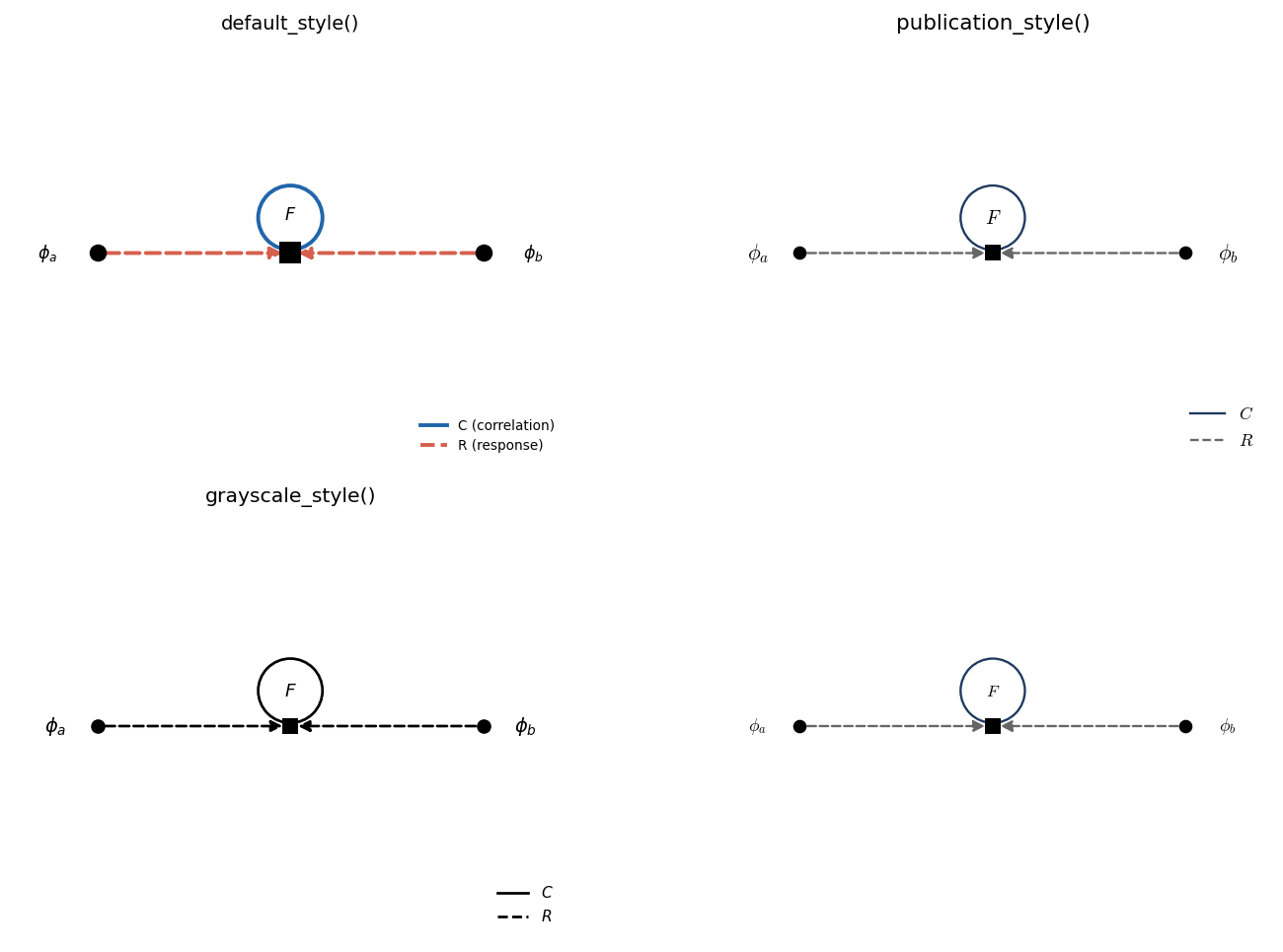
default_style()— the colourful on-screen look (blue C, red R).publication_style()— serif fonts, thinner lines, smaller markers; honoursusetex.grayscale_style()— black-and-white for printed papers.minimal_style()— strips legend, boxes, and titles for inset use.
The same order-1 tadpole rendered with each preset:
from sft_wick import (
    DiagramRenderer, publication_style, LABEL_TIME_F,
)

renderer = DiagramRenderer(
    figsize=(4, 3),
    style=publication_style(),
    label_format=LABEL_TIME_F,    # \phi_a(t_f) instead of \phi_a
)
renderer.draw(fd)
Tweak a preset with
with_overrides() /
with_propagator():
style = (publication_style()
         .with_propagator("C", color="black", linewidth=0.9)
         .with_overrides(show_legend=False))
External-vertex labels
The label format flag controls the default text:
Flag |
Default text |
|---|---|
|
|
|
|
|
|
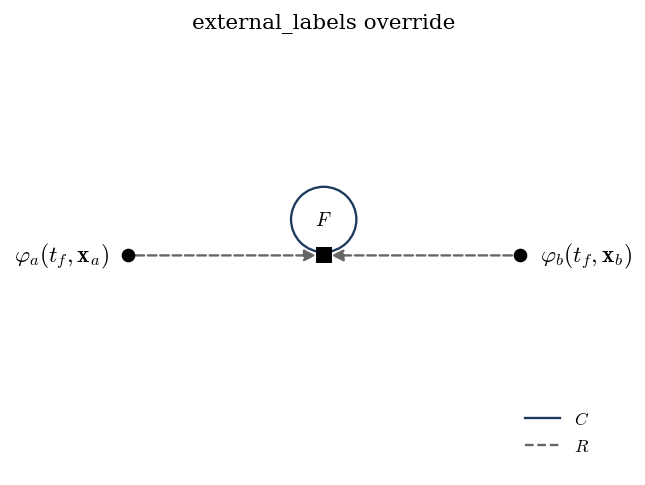
Per-call overrides win:
renderer.draw(
    fd,
    external_labels={
        fd.external_nodes[0]: r"$\varphi_a(t_f, \mathbf{x}_a)$",
        fd.external_nodes[1]: r"$\varphi_b(t_f, \mathbf{x}_b)$",
    },
)
Or supply a callable for systematic transformations:
def my_label(node_id, attrs):
    comp = attrs.get("component", "")
    return rf"$\Phi_{{{comp}}}$"

renderer = DiagramRenderer(external_label_fn=my_label)
The dictionary form in action:
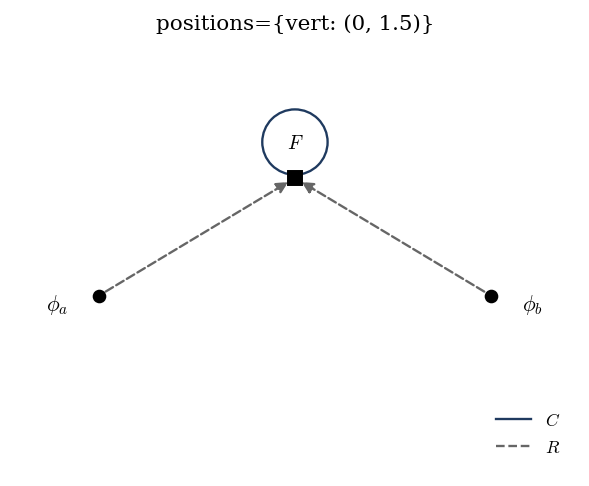
Manual node positions
When the spring layout produces something ugly for a specific topology, pin nodes explicitly:
renderer.draw(
    fd,
    positions={
        "ext_0": (-3.5, 0.0),
        "vert_2": (0.0, 1.0),
    },
)
Unpinned nodes still go through the standard layout pipeline.
Showcase: 2-point correlator at order 2
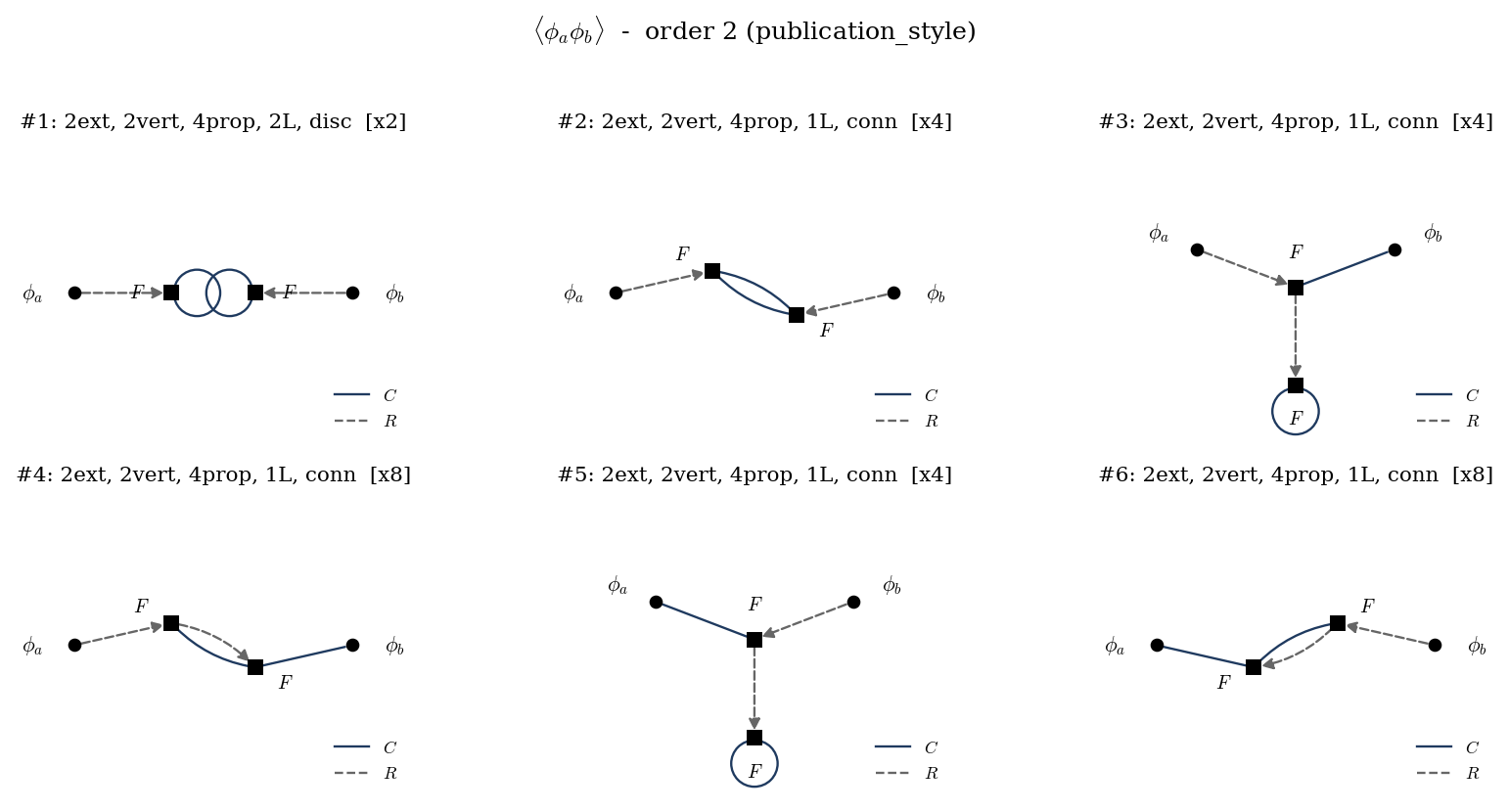
Computing \(\langle \phi_a \phi_b \rangle_S\) to second order with a single cubic vertex
yields six distinct topologies (with multiplicities \(2, 4, 4, 8,
4, 8\)). The grid below was produced by
DiagramRenderer.draw_all() with no per-call tweaking — just
publication_style():
Same diagrams in grayscale_style() for B&W reproduction:
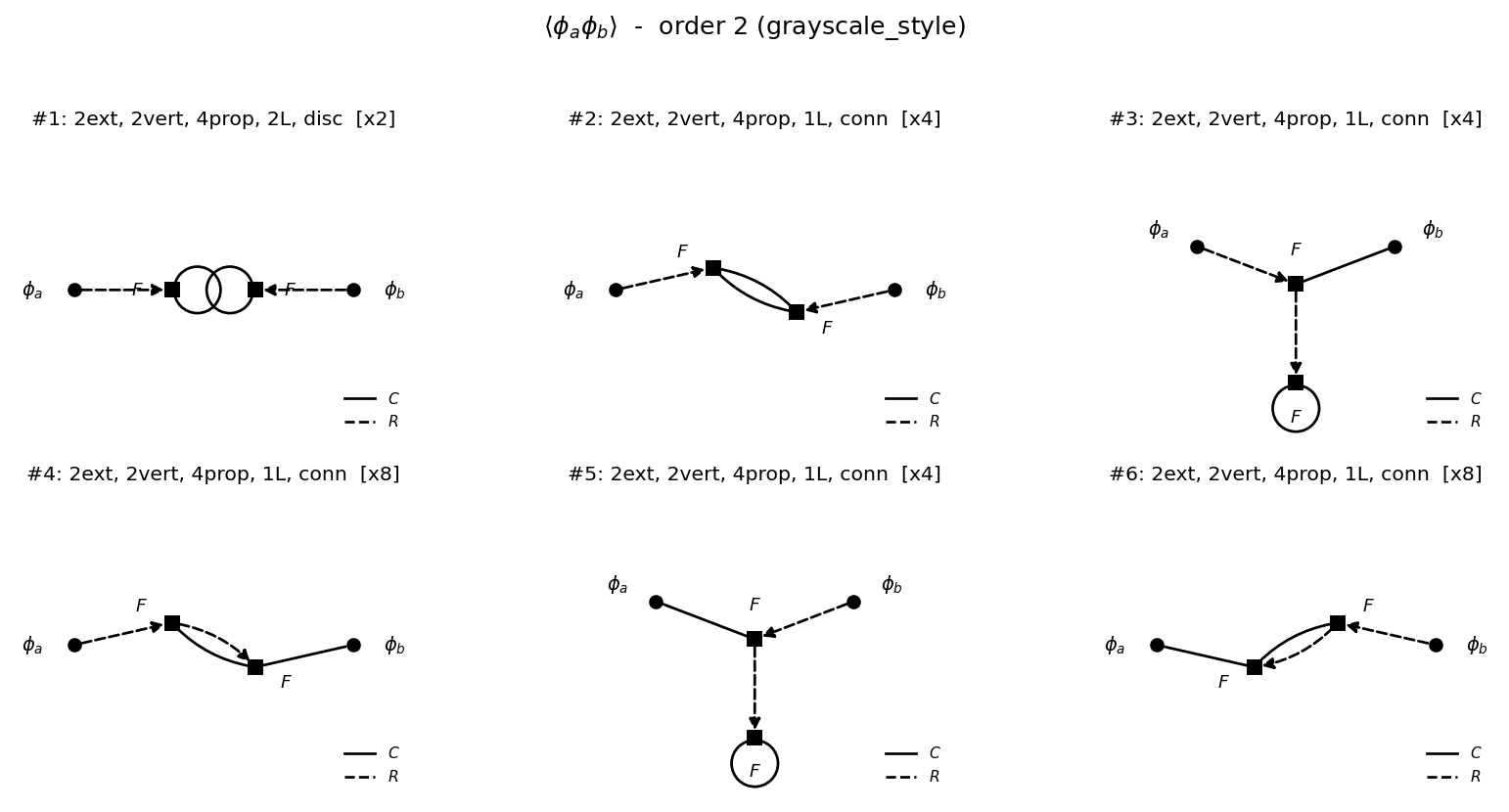
The full reproducer is at
docs/_static/diagrams/_generate.py.
Title and figure-level styling
Per-axes titles use style.title_fontsize; pass
title_kwargs={…} on draw() to override that for one call.
The figure-level suptitle in draw_all() honours
style.suptitle_fontsize and accepts a suptitle_kwargs
override. The default is no suptitle.
draw_all uses compact subplot spacing and one shared legend by
default. Columns are tightened with wspace; row spacing uses a
compact automatic value that is relaxed if rendered rows would
overlap. Pass hspace=… to take manual control.
draw_all no longer calls plt.show() implicitly — pass
show=True if you want it. This makes it safe to use inside
scripts that savefig afterwards.
TikZ/PGF Backend
For LaTeX-native paper output, use
TikzRenderer:
from sft_wick import TikzRenderer, publication_style

renderer = TikzRenderer(style=publication_style())

# Bare tikzpicture (drop into a paper with \input{fig.tex})
tex = renderer.to_string(fd)

# Standalone document compilable with pdflatex
renderer.save(
    fd, "fig/diag1.tex",
    standalone=True,
)

# Save many at once
diagrams = [d.to_feynman_diagram()
            for d in result.diagrams_by_order[2]]
renderer.save_all(diagrams, "fig/order2_{i:02d}.tex")
The output uses standard TikZ — your preamble needs only
\usepackage{tikz} and \usetikzlibrary{arrows.meta}.
The label override hooks (external_labels, vertex_labels,
external_label_fn, label_format) and positions keyword
behave identically to the matplotlib backend, so you can develop
the diagram interactively in a notebook with DiagramRenderer
and switch to TikzRenderer for the final paper figures with no
code changes beyond the class name.
A complete standalone example (compilable with pdflatex) is
shipped at example.tex.